Synology DSM 6
Use this guide to install RustDesk Server OSS on Synology DSM 6 with Docker on older NAS systems.
An alternative up-to-date tutorial from third-party is here.
This tutorial is based on latest DSM v6 and v7.
Note
When should you use the DSM 6 guide?
Use this guide only if your Synology NAS is still on DSM 6 and you are deploying RustDesk Server OSS through the older Docker package. If your NAS is already on DSM 7.2, use the Container Manager guide instead.
DSM 6 deployment checklist
- Confirm your NAS is still running DSM 6.
- Install the Synology
Dockerpackage from Package Center. - Create a persistent host folder for RustDesk data and keys.
- Run both
hbbsandhbbrwith host networking and auto-restart enabled. - Retrieve
id_ed25519.pubafter the containers start.
Install Docker
| Open Package Center | Install Docker |
|---|---|
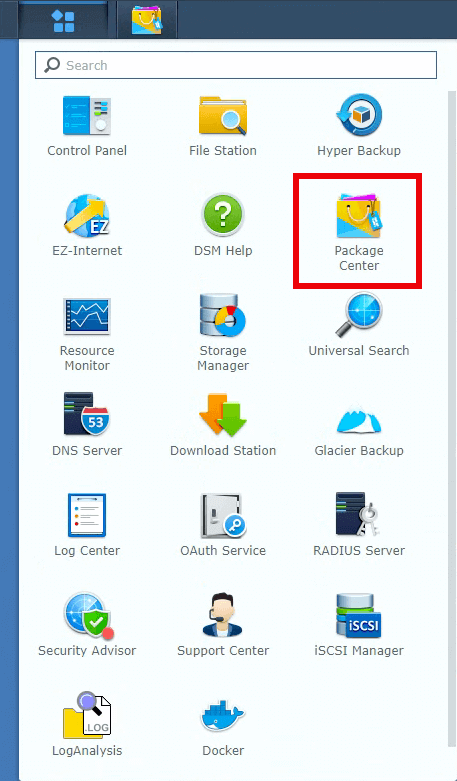 | 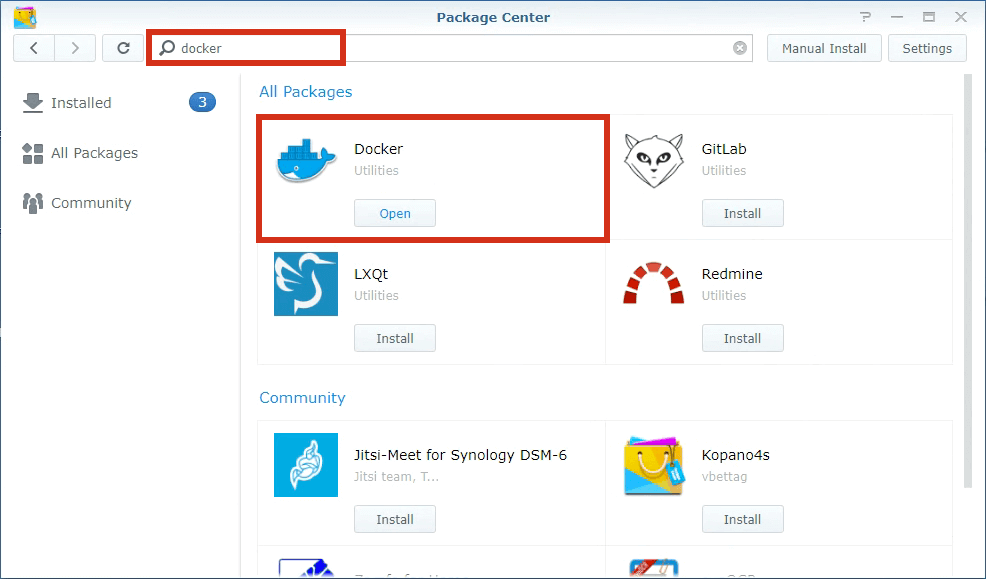 |
Install RustDesk Server
| Search rustdesk-server in Docker’s registry and install by double click | Installed rustdesk-server image, double click to create rustdesk-server container |
|---|---|
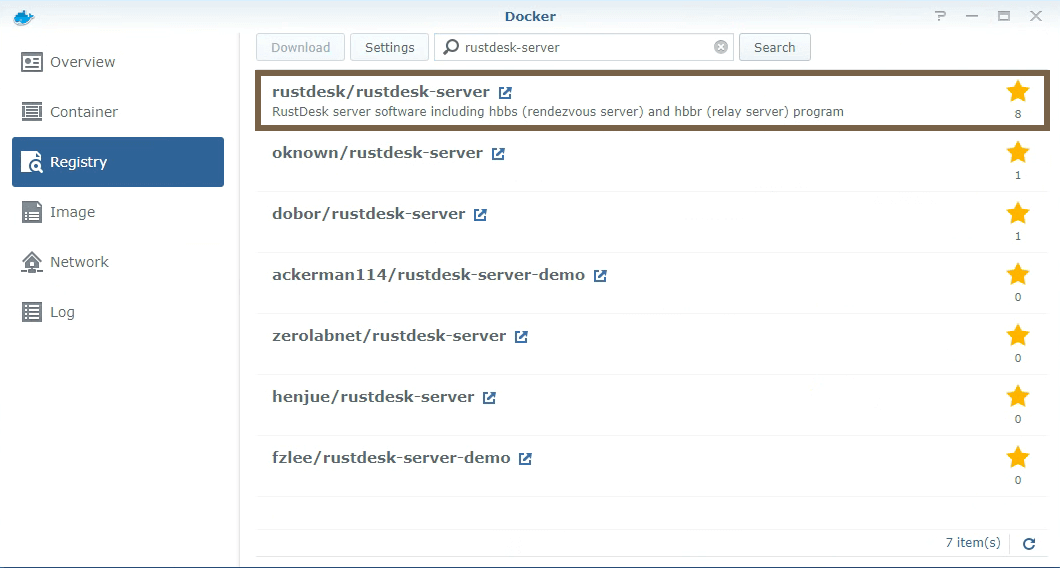 | 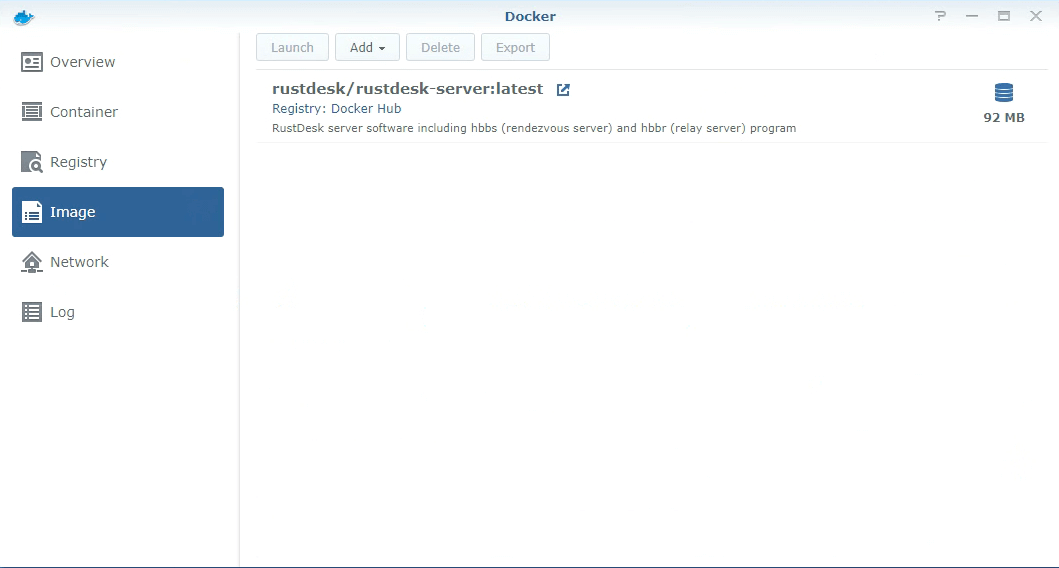 |
Create hbbs container
As mentioned above, double click on rustdesk-server image to create new container, set it name to hbbs.
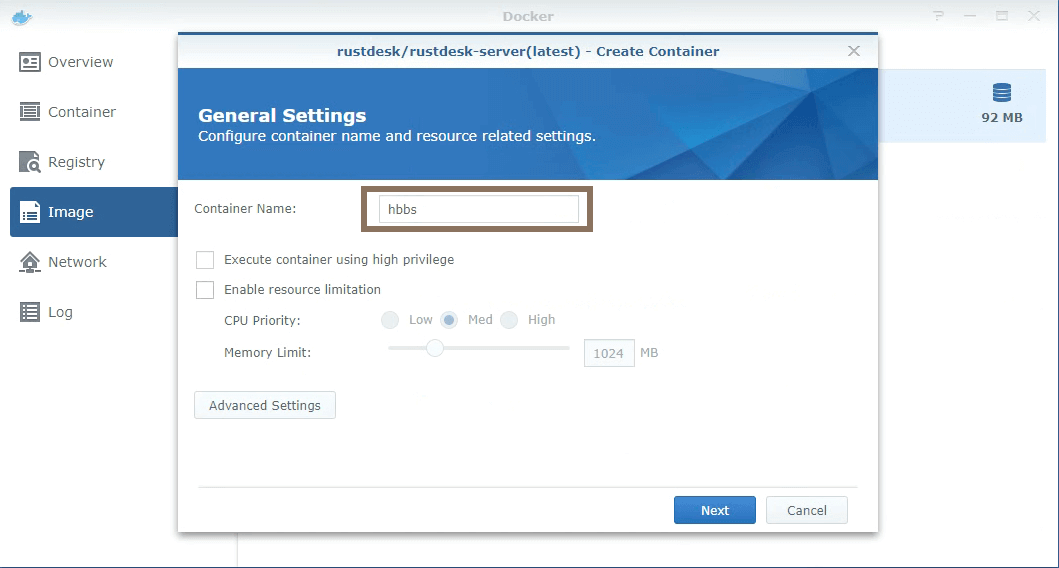
Click on above Advanced Settings.
Enable
Enable auto-restart.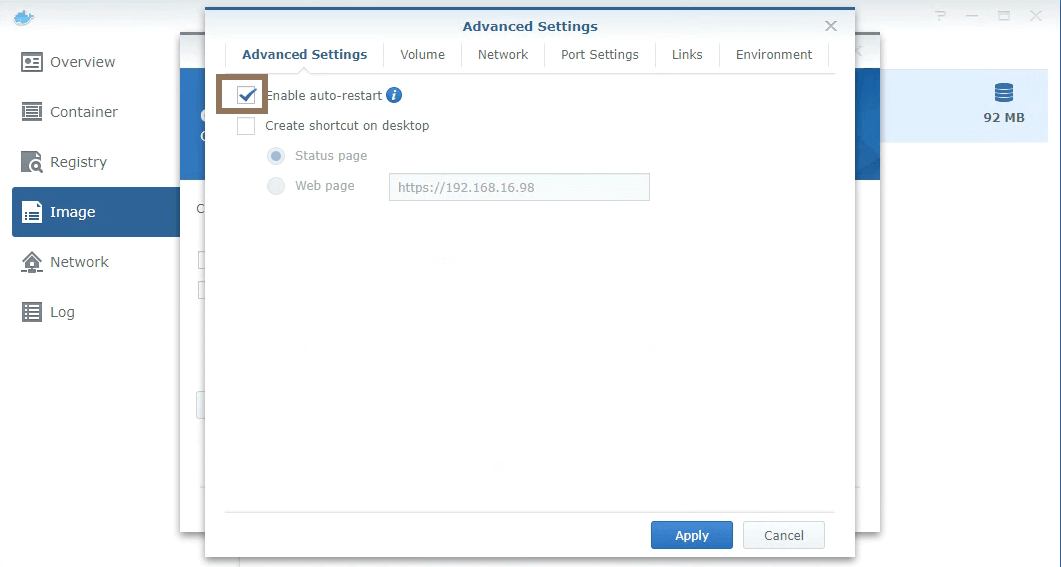
Enable
Use the same network as Docker Host. For more about host net, please check.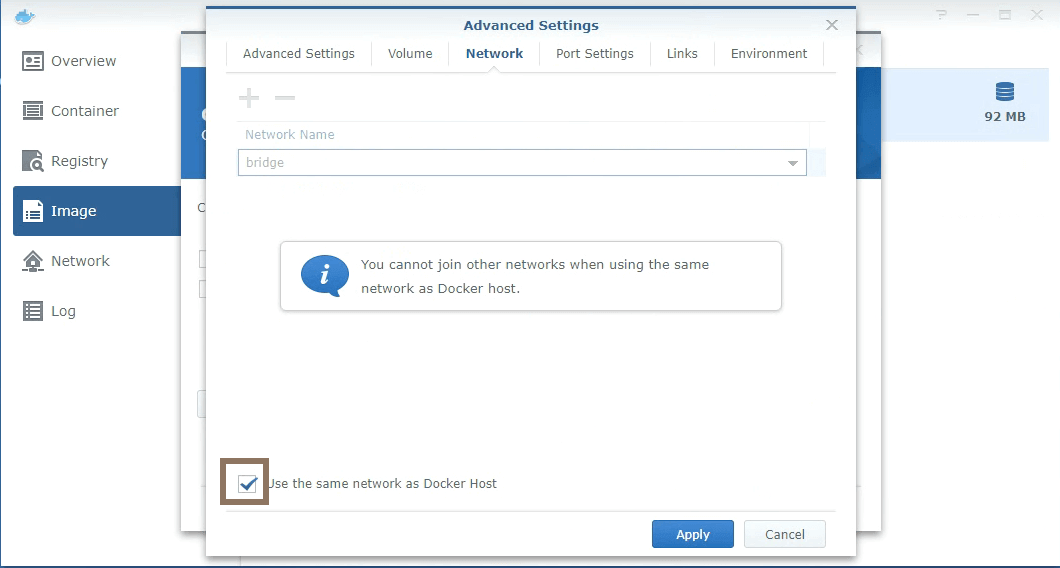
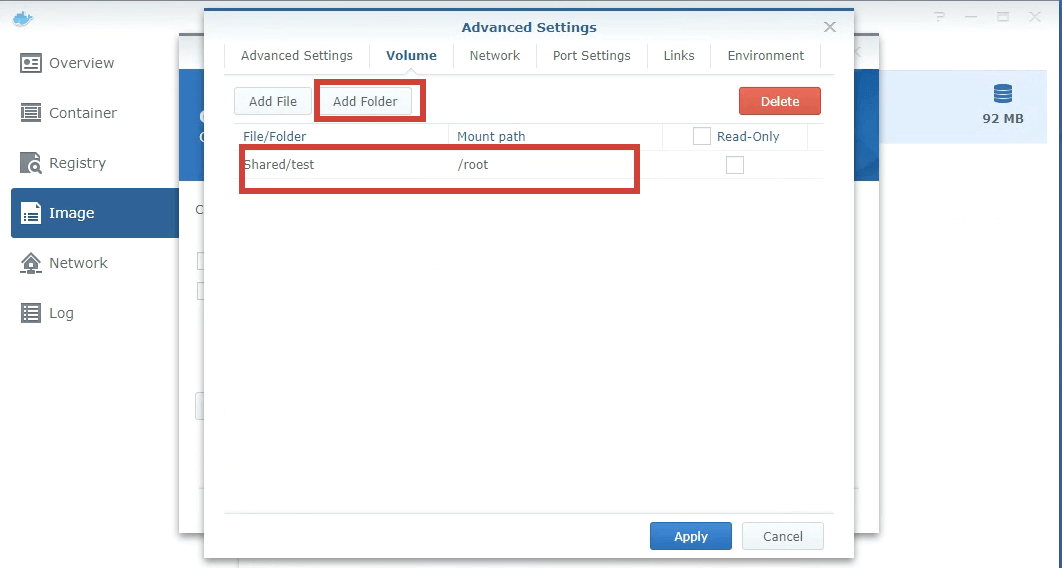
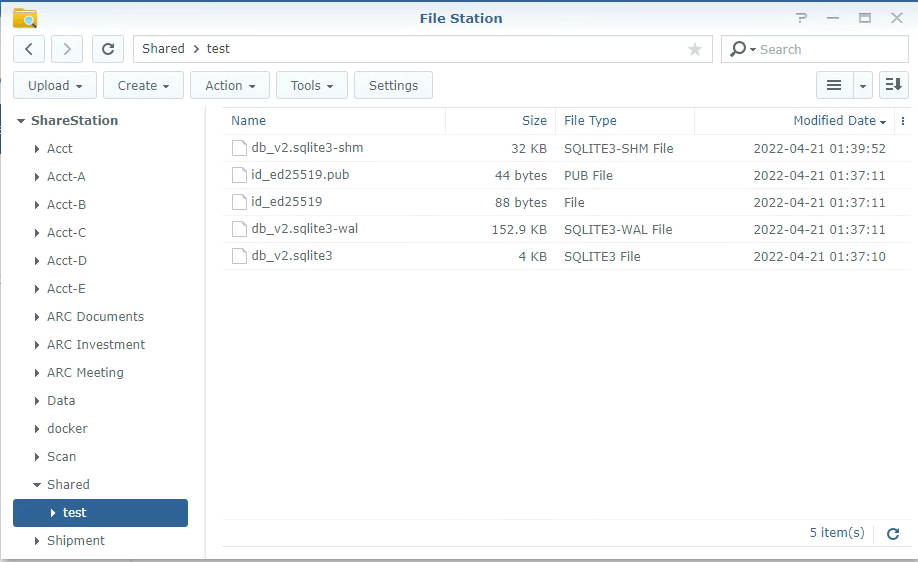
Mount a host directory (e.g.
/home/rustdesk/) to/root, hbbs will generate some files (database andkeyfiles) in this directory which need to be persistent over reboots.
| Mount | Files generated in the host directory |
|---|---|
 |  |
- Set command
Note
-p option.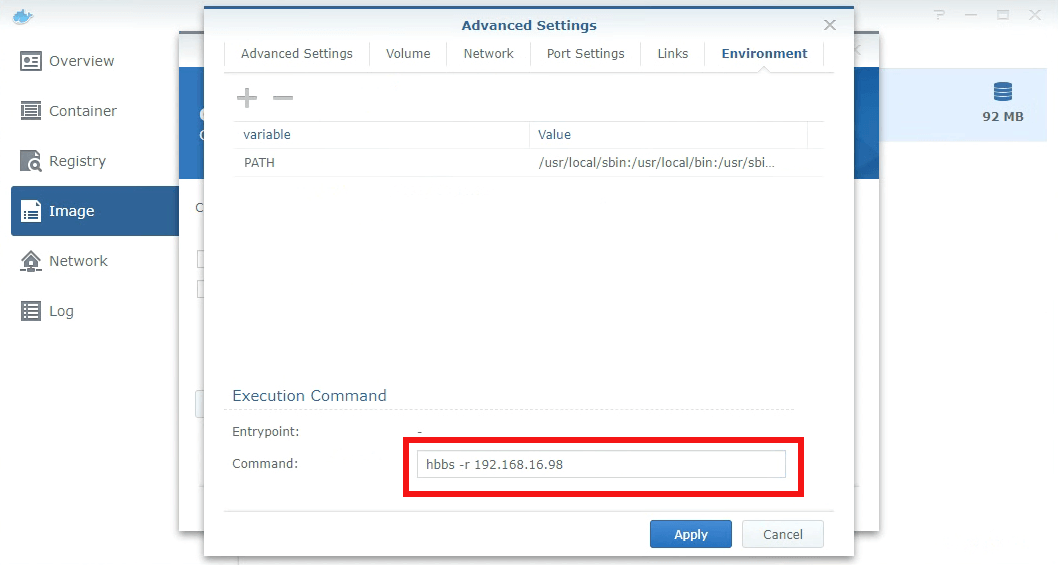
- Done
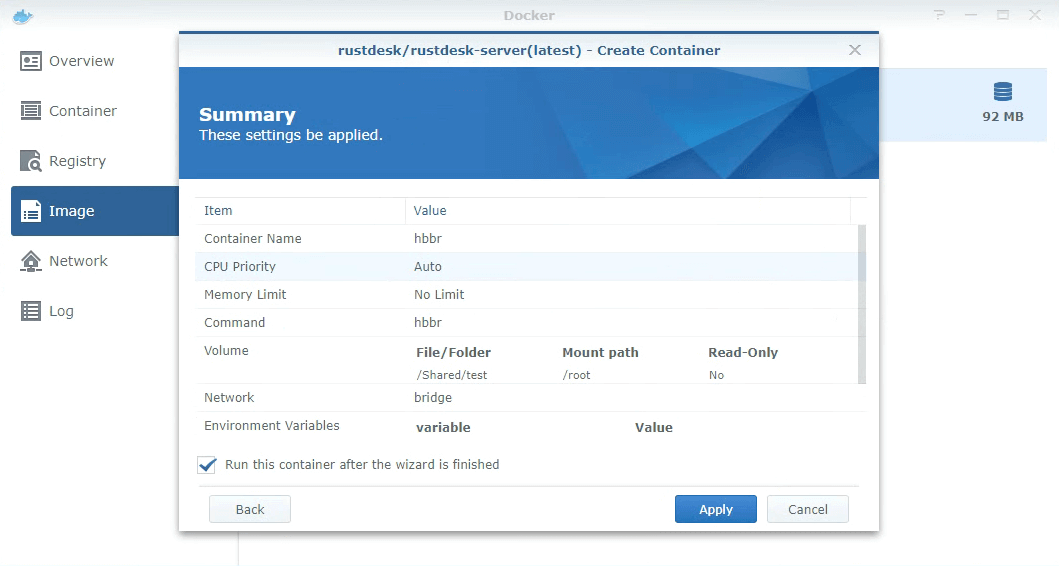
Create hbbr container
Please repeat above hbbs steps, but name the container hbbr and command (for Set Command Step) should be hbbr.
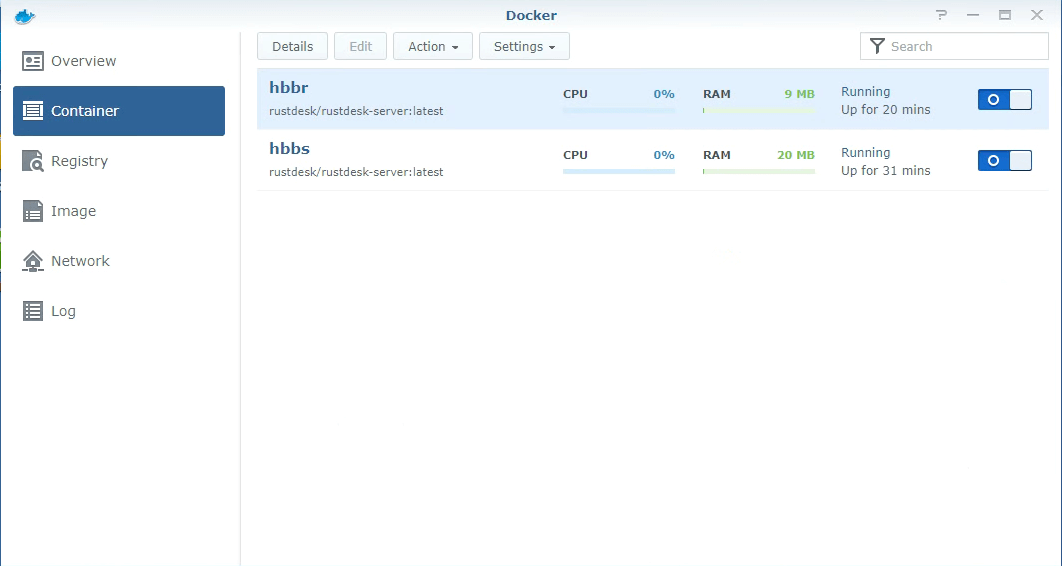
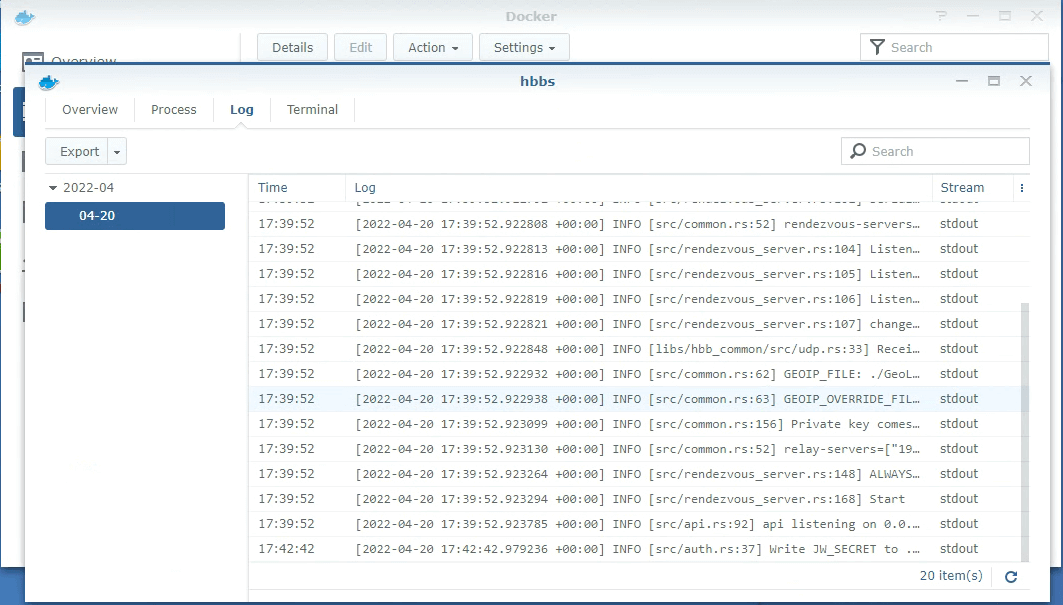
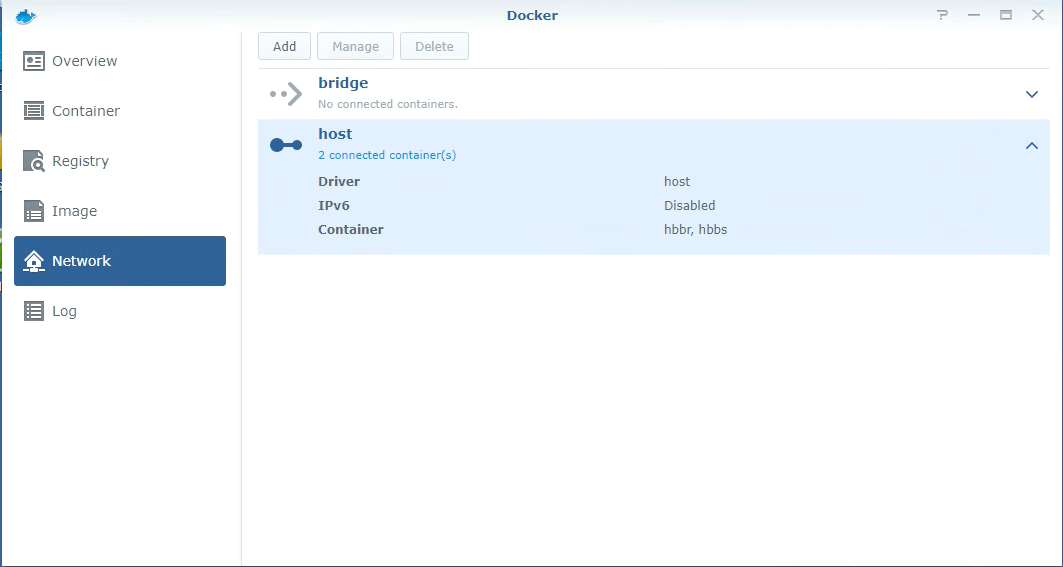
hbbr/hbbs containers
| Double click on container and check log | Double confirm hbbs/hbbr using host network |
|---|---|
 |  |
Retrieve your Key
Browse to the folder setup before using File Station, download id_ed25519.pub and open with a text editor to via your key.